

Never be surprised by your electricity bill again.
Meteredo lets households record electricity meter readings anytime, capture them automatically with AI-assisted camera capture, and track consumption across every meter in the home — synced live with the whole family.

Built with technology you can trust
Everything a household needs to stay ahead of the meter
Every feature below is built and working in the app today.
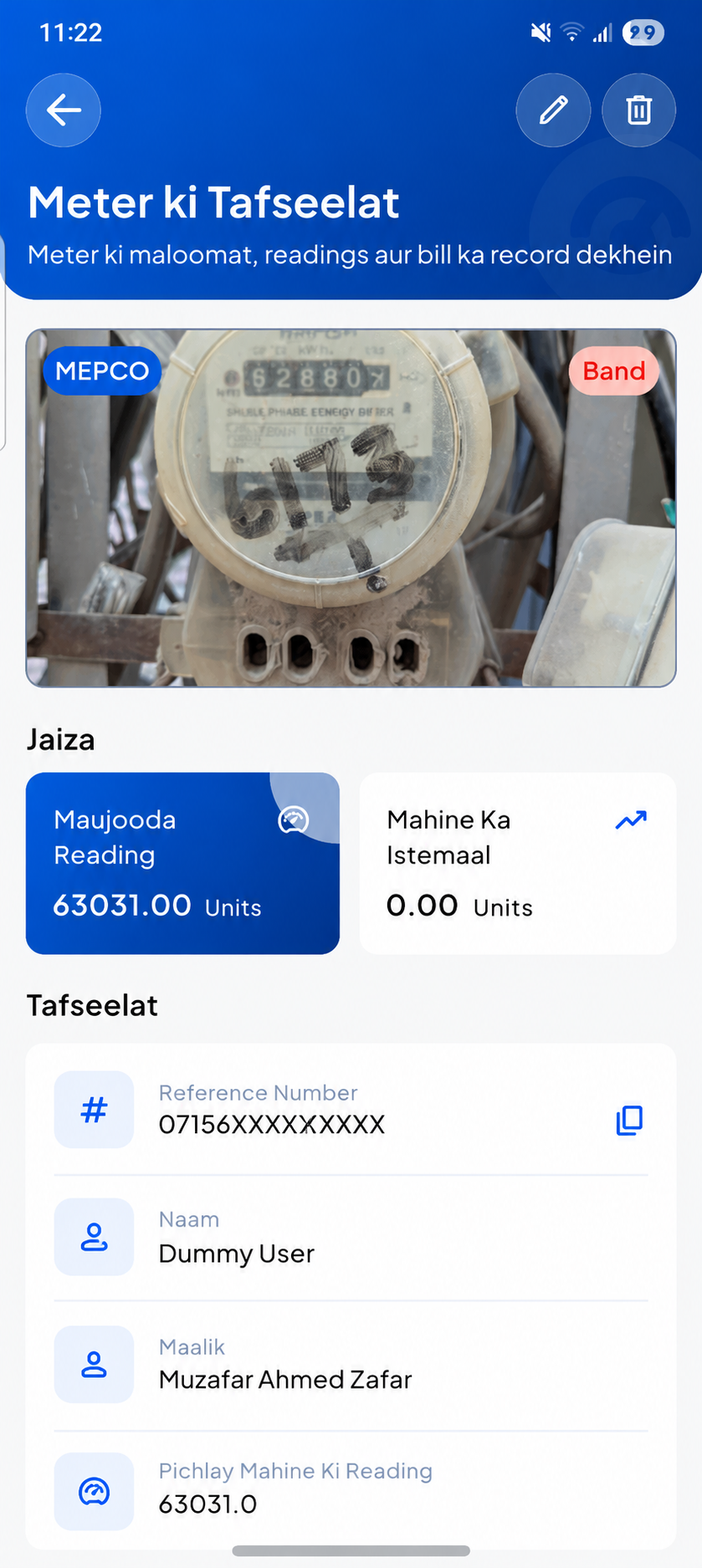
Multi-Meter Management
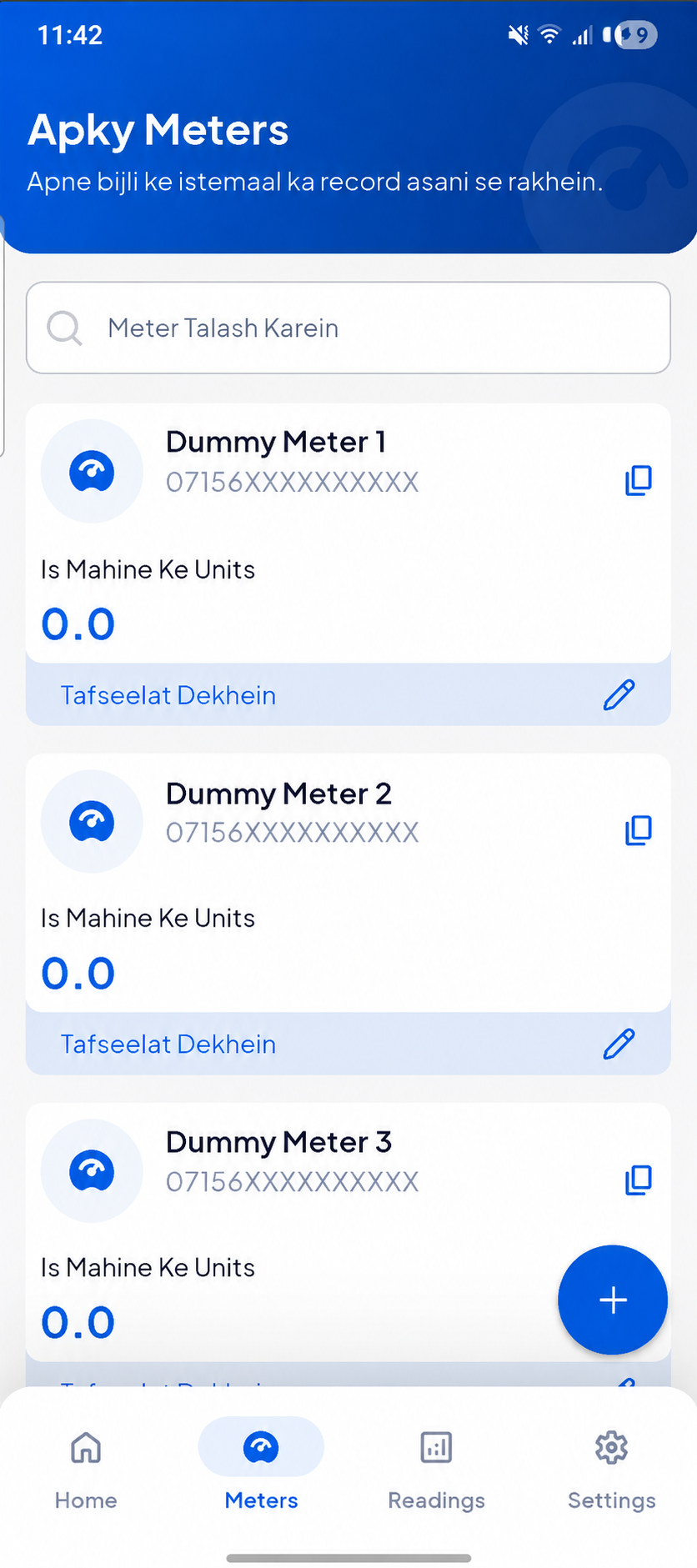
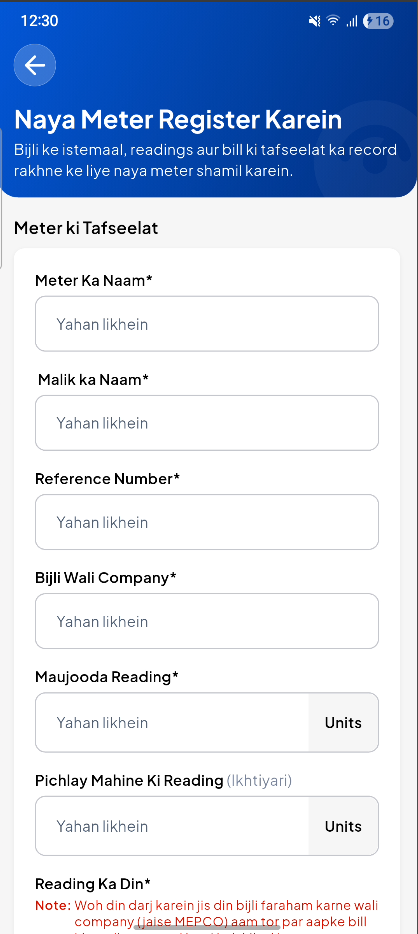
Add as many electricity meters as your household needs. Each one tracks its own provider, billing day, subsidy status, and photo.
AI-Powered Reading Capture
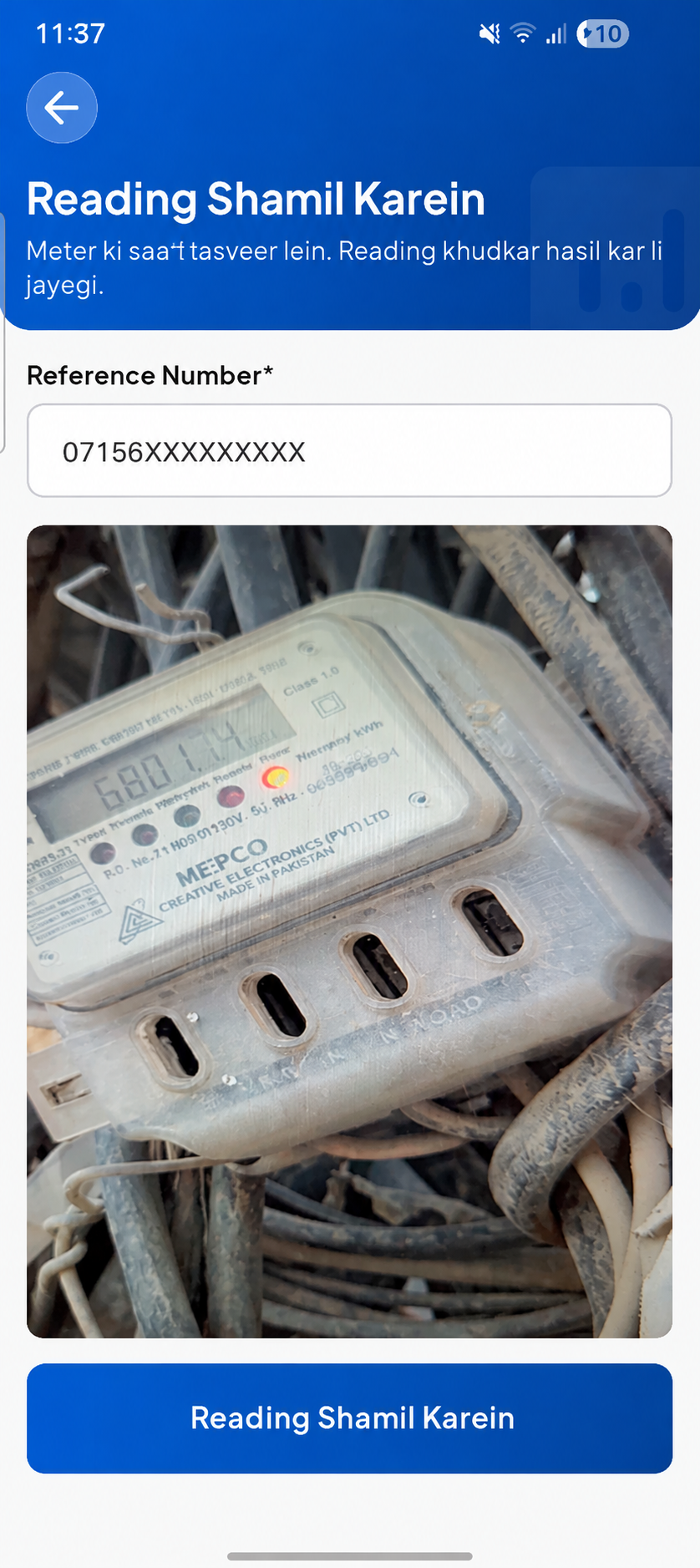
Snap a photo, crop to the digit display, and let AI extract the reading. You always review and can edit the result before saving.
Automatic Unit Calculation
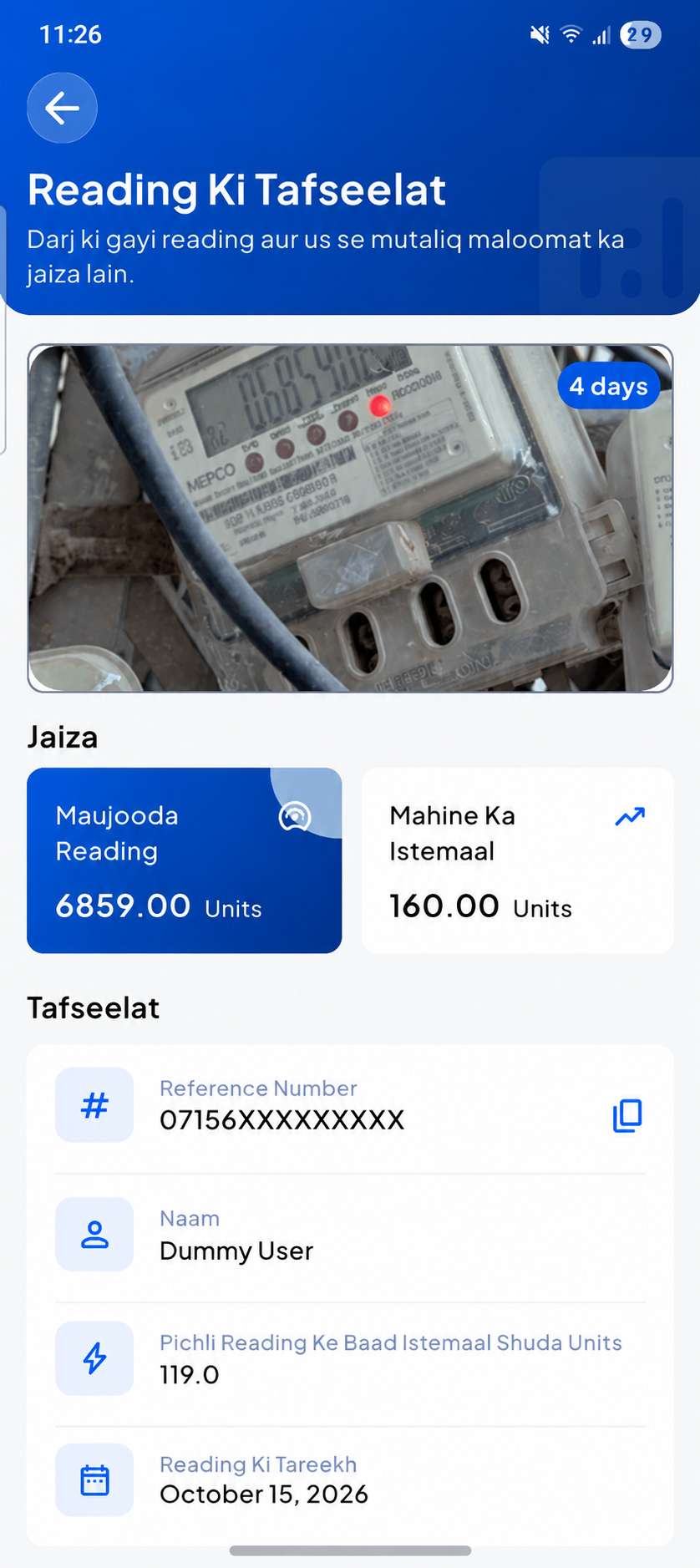
Every new reading instantly calculates units consumed since the last one, so you always know your running monthly total.
Family Sharing
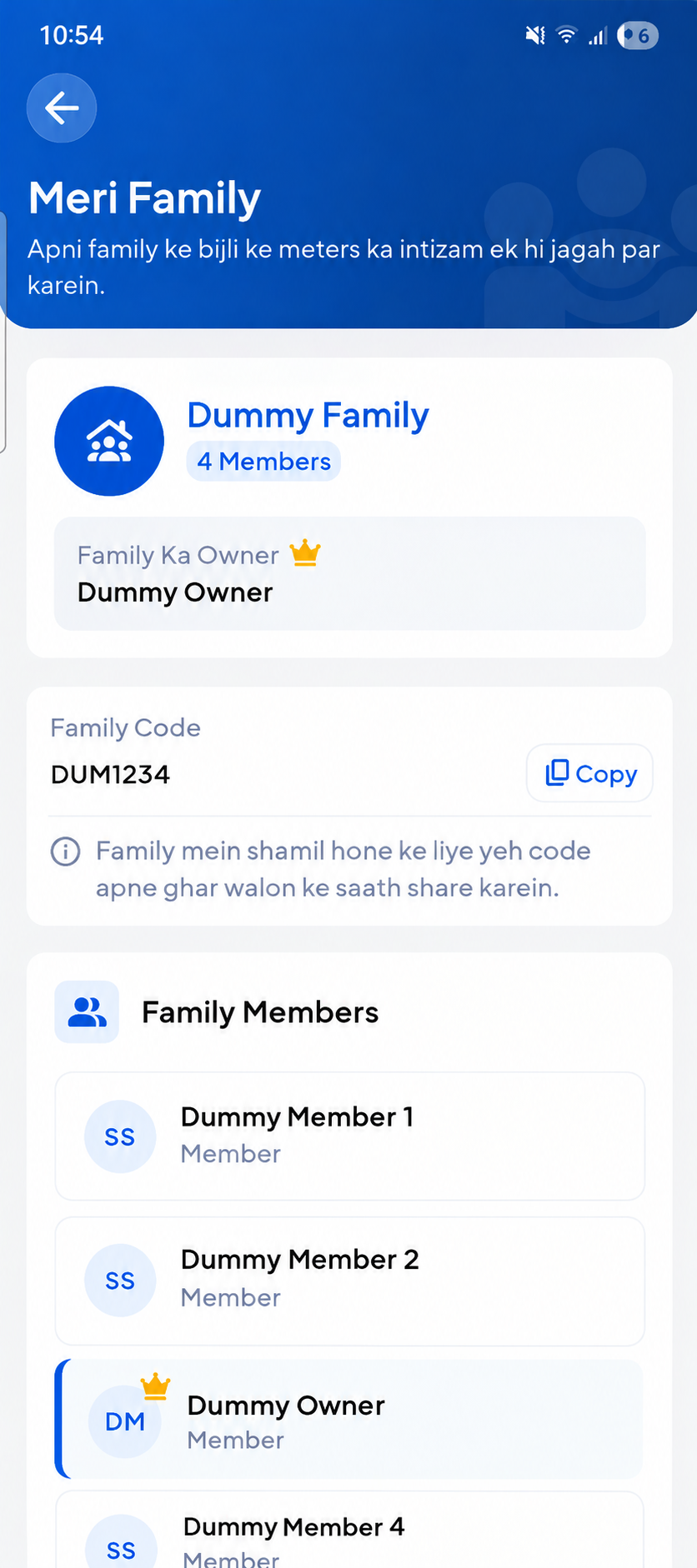
Create a family group with a unique invite code. Every member sees the same meters, readings, and bills in real time.
Bill History
Capture a photo of your electricity bill and receipt, organized by meter, so you always have your bill history on hand — no amounts or calculations, just your bills, saved as images.
Secure Multi-Method Login
Sign in with email & password, one-tap Google Sign-In, or unlock your saved session instantly with fingerprint or face ID.
Real-Time Cloud Sync
Every meter, reading, and bill is backed by Cloud Firestore, so updates from any family member appear instantly for everyone.
Family Reading Alerts
When a family member adds a reading, everyone else gets an automatic push notification — no group chat required.
Multi-Language Support
Use Meteredo in English or Roman Urdu. Choose your preferred language in the app settings, and your selection is saved on your device for a consistent experience.
From unboxing to your first reading in minutes
Meteredo is built around a simple loop: add a meter, capture a reading, watch the numbers update automatically.
-
1
Create your account
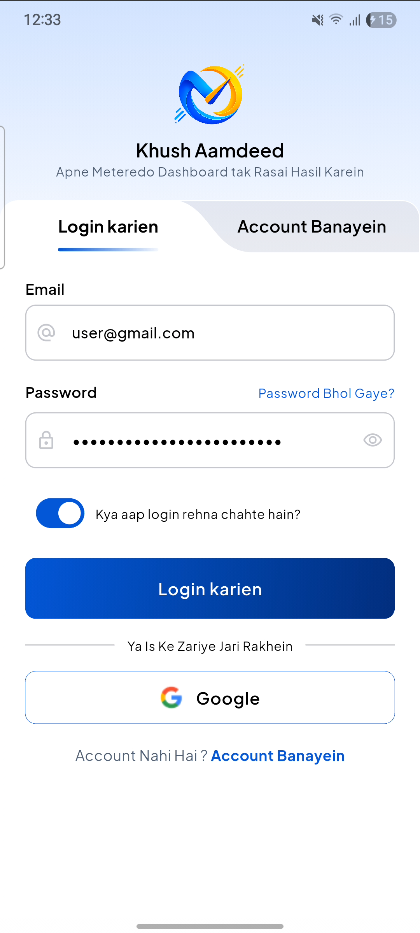
Sign up with your name, email, and phone number, or use one-tap Google Sign-In. Enable biometric unlock for faster access next time.
-
2
Add a meter
Enter its name, owner, reference number, provider, and billing day. Attach a photo so it's easy to recognise at a glance.
-
3
Capture or enter a reading
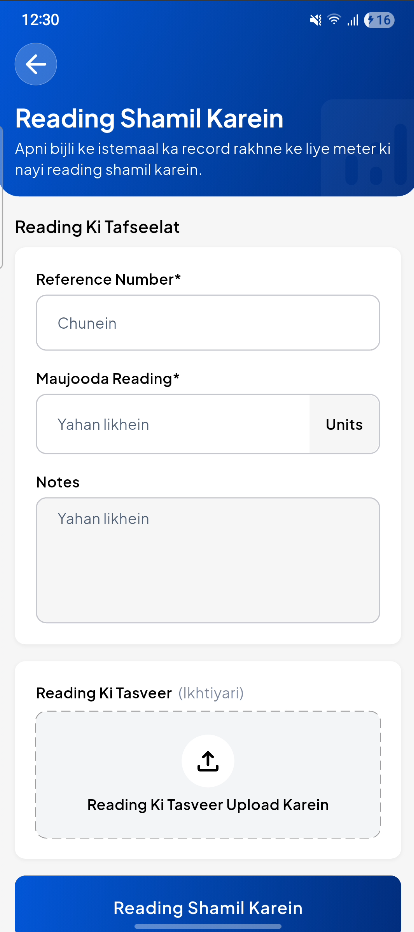
Point the camera at the meter and crop to the display, or type the value manually. Either way, you confirm before it's saved.
-
4
Let AI read the digits
Your cropped photo is sent to Google's Gemini AI model, which returns a predicted reading for you to review or correct.
-
5
Invite your family
Create a family group and share the invite code. Everyone can now view and add readings for the same shared meters.
-
6
Track history & bills
Browse your full reading history per meter, filter by date, and keep your bill photos alongside them as a visual bill history.
Built for real households, not spreadsheets
Stop guessing your usage
Frequent readings mean no more waiting a full month to find out how much you've consumed.
One account, every meter
Homeowners with multiple connections manage them all from a single dashboard.
Shared responsibility
Family sharing means the task of checking the meter never falls on just one person.
AI does the typing
Skip manual digit entry — capture a photo and review the predicted reading instead.
No ads, no clutter
Meteredo has no advertising SDKs and no in-app purchases — just the utility tools you need.
A closer look at Meteredo
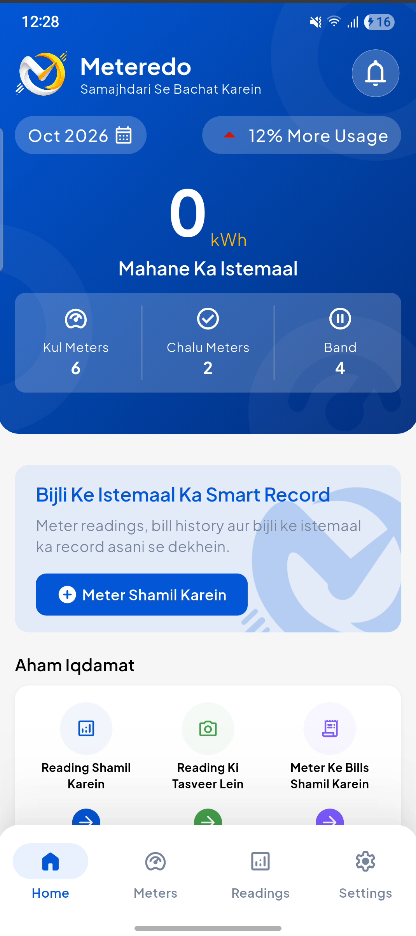
Real product screenshots are showing below. The frames below preview the core flow of the app.
Yes. Meteredo is free to download and use, with no ads and no in-app purchases or subscriptions.
Yes. Meteredo supports English and Roman Urdu. You can select your preferred language in the app settings. Your language preference is stored locally on your device.
Point your camera at the meter, crop the image to the digit display, and Meteredo sends the cropped photo to Google's Gemini AI model to read the digits. You always review and can edit the predicted reading before it is saved.
Yes — the cropped meter-display photo is sent securely to Google's Generative AI service to extract the reading. Full details are available in our Privacy Policy.
Yes. Create a family group and share the invite code with household members. Everyone sees the same meters, readings, and bills in real time. Note that each account can belong to only one family at a time.
Meteredo relies on Firebase for real-time sync, so an internet connection is required to load and save your data.
Visit our Delete Account page to submit a deletion request. We process account and data deletion requests within 30 days.
Your account data is stored on Firebase (Google Cloud) with encryption in transit and at rest, and your session credentials are stored using your device's secure, OS-level encrypted storage.
Ready to take control of your electricity usage?
Download Meteredo, add your first meter, and record a reading in under two minutes.